

Getting Started:
- You will receive an invite to activate your TaxDome Account from one of our staff.
- Open the email invitation, and click on the “Activate Your Account” button.
- It will take you to your TaxDome account and you can set your own password.
- After you are all set up, there’s a great app for your phone to help make scanning and uploading documents that much easier! (See the buttons below)



Here is a quick visual on what your invitation looks like…
Invite email arrives in your inbox…

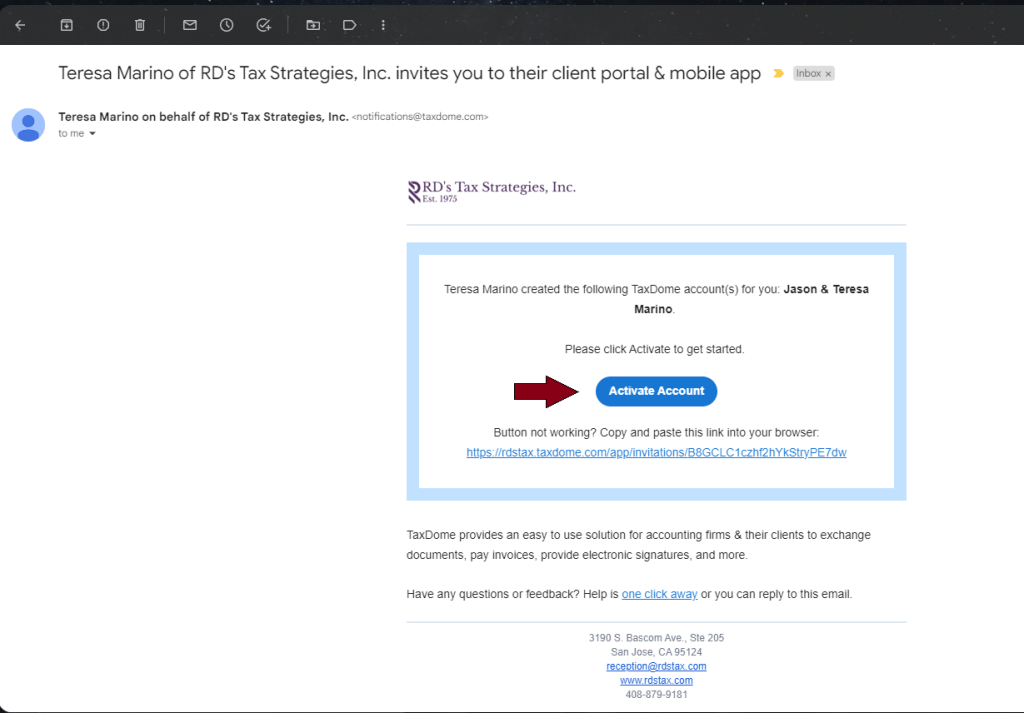
Open the invitation and hit the blue “Activate Account” button…
Set your password and then hit the submit button…
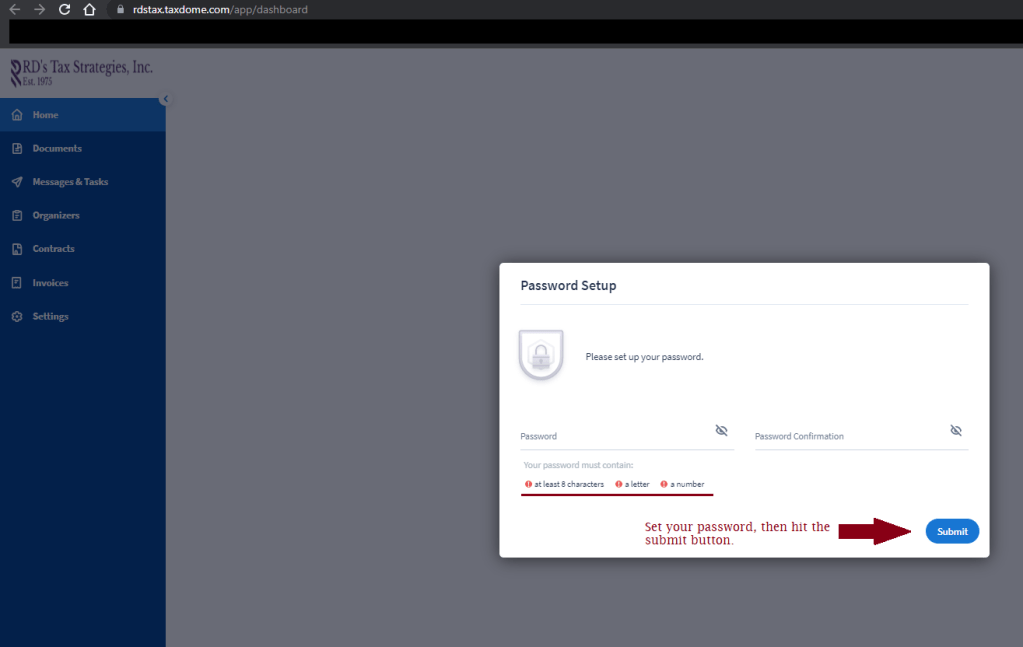
Once you set your password, you’re all set!
The menu is on the left column, where you can navigate to the Documents section, Organizers, Messages and more!
 RD's Tax Strategies, Inc.